
Track permit deviations before they delay construction.
Replace your milestone spreadsheet with a timeline that doesn't forget.
Navorda Platform's milestone governance is structured, version-aware milestone tracking: templates for the milestones that match your workflow — permit and land-readiness milestones included — dependencies between them, the stage derived from them, baselines, and deviation against actuals at a glance for every project in the portfolio.
Last updated
Sound familiar?
Milestone chaos
Your permitting dates, grid connection deadlines, and construction milestones are scattered across tabs in a shared spreadsheet that crashes when 3 people edit it at once.
No baseline comparison
When leadership asks "are we on schedule?", you can't answer because there's no recorded baseline to compare against.
History disappears
Someone updated the environmental clearance date last week but nobody knows what it was before. There's no version history, no audit trail, no accountability.
Baselines are not paperwork — they are how reality is measured against what was committed.
Permit delays rarely start as delays. They start as untracked changes to the plan that only surface when the next deadline approaches — and three months of slip on a 36 MWp asset is roughly 17.5 GWh of production, around €700,000 of revenue at €40/MWh. Without a preserved baseline, nobody can reconstruct why dates changed, so the next forecast inherits the same blind spot.
Everything you need
Stop forcing energy workflows into generic PM templates
Define milestone templates that match how your team actually develops — permitting, grid connection, environmental clearance, land readiness — as milestones with status, owner, expected and actual dates. Every tenant gets its own milestone structure, no code changes needed.
Link the milestones that depend on each other
Grid approval before RtB, land readiness before NtP: dependencies between milestones are part of the model, so a slip upstream shows its downstream implication without anyone reconstructing the chain.
Let the stage follow the milestones
The project's development stage is derived from configured milestone logic — the rules your organization sets — so progression stays aligned with what has actually been completed.
See schedule deviations before they become delays
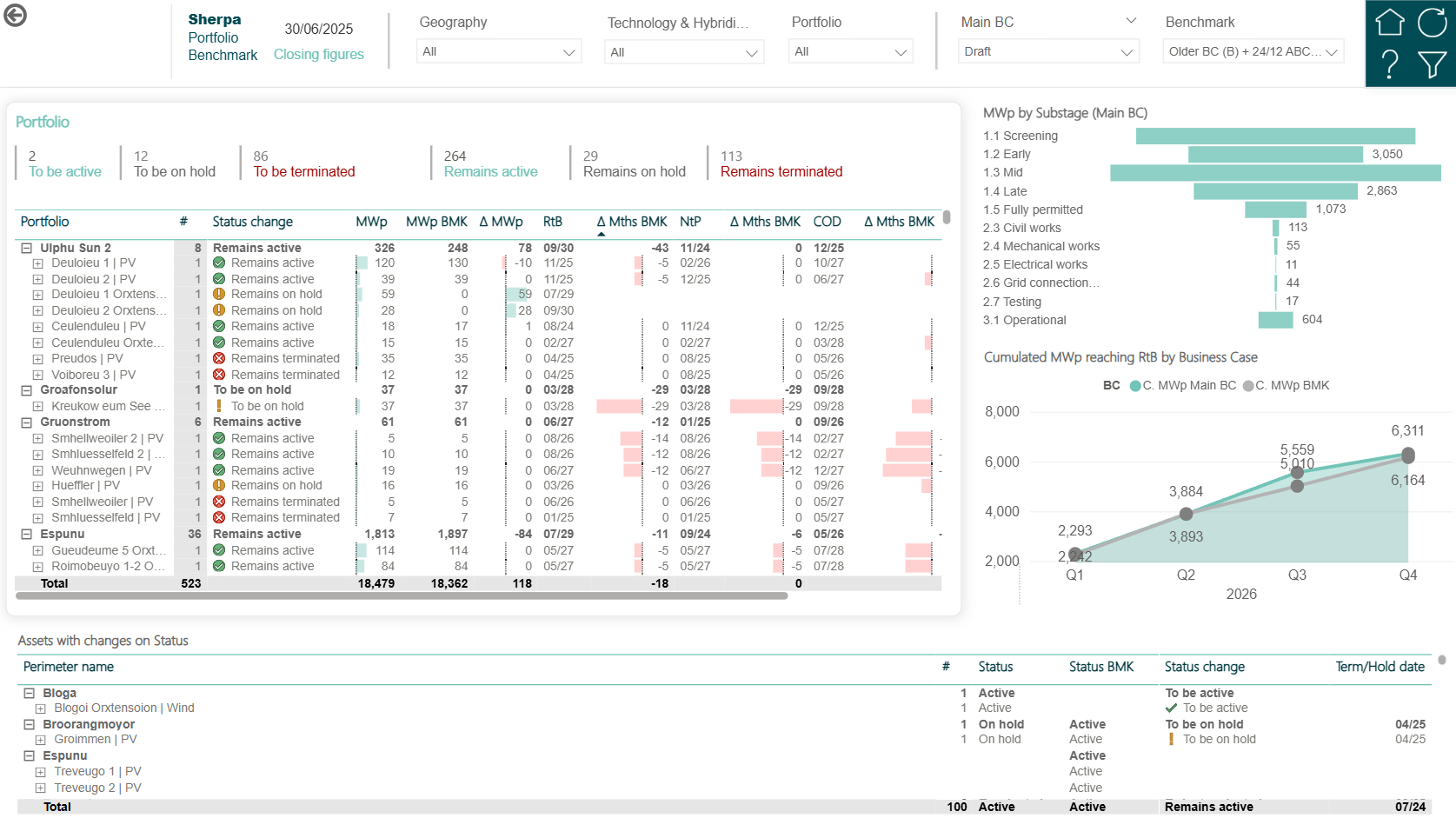
Compare current timelines against approved baselines with full historical traceability. Draft, Budget, Forecast and Scenario snapshots capture point-in-time records you can compare later.
Spot delays at a glance, not in a report
See your milestones on a horizontal timeline grouped by category (Development, Construction, Ownership), color-coded by status. Instantly spot what's on track and what's slipping.
Try new plans without overwriting your committed baseline
Starting a new planning cycle? Clone any existing version to create an instant scenario. Modify the copy while the original remains untouched as your benchmark.
Preserve approved schedules and eliminate timeline disputes
Mark any version as locked to preserve it as a read-only historical record. No accidental edits, no "that wasn't the original date" arguments. Locked means locked.
Quantify how much each milestone slipped, and why
Select any two versions and see per-milestone date deviation. Budget said "grid connection by June" but Forecast says "August"? See exactly where the schedule slipped and by how much.
What teams can now answer
- What was the originally committed COD versus the latest forecast?
- Which permits have slipped versus last year's baseline, and by how many days?
- Who changed the latest forecast, and when?
- Which downstream milestones (NtP, COD, PAC) are affected by the most recent permit slip?
- Across the portfolio, which projects carry the largest schedule deviation?
How it works
Define your milestones
Set up project milestone categories and items that match your development process. Environmental dates, construction windows, regulatory deadlines — whatever your projects need.
Track across versions
Enter milestone dates and values in the Draft version. When you lock down a budget baseline, clone Draft into a Budget snapshot. As reality changes, update Draft and compare.
Spot deviations instantly
Open the timeline view and toggle between versions. Red highlighting shows where dates have slipped. Drill into any milestone to see the full version history.
Included in Navorda Platform, connected to every optional add-on
Navorda Platform's lifecycle governance complements your existing PM tools, ERPs and document repositories. It owns the energy-development-lifecycle layer they were never built for, without asking you to rip anything out.
Ready to replace your spreadsheet timelines?
Track every milestone with version history, deviation analysis, and zero data loss — in Navorda Platform.